




1. Enter your account data and press Login.
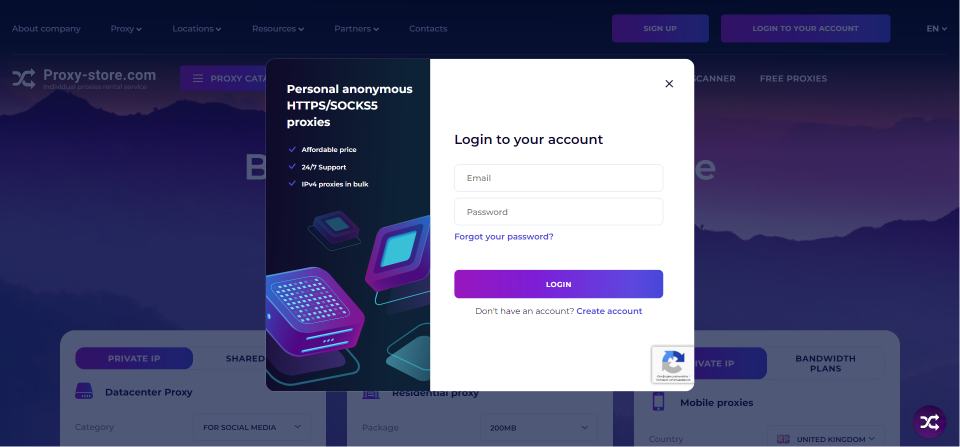
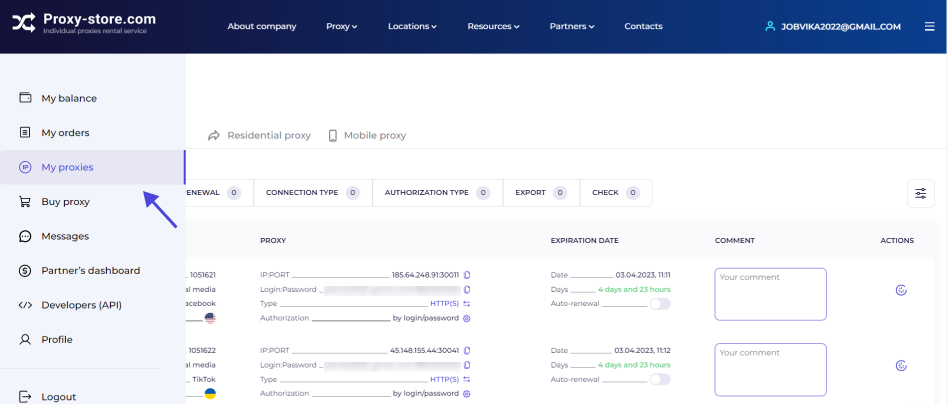
2. Open the My proxies tab.
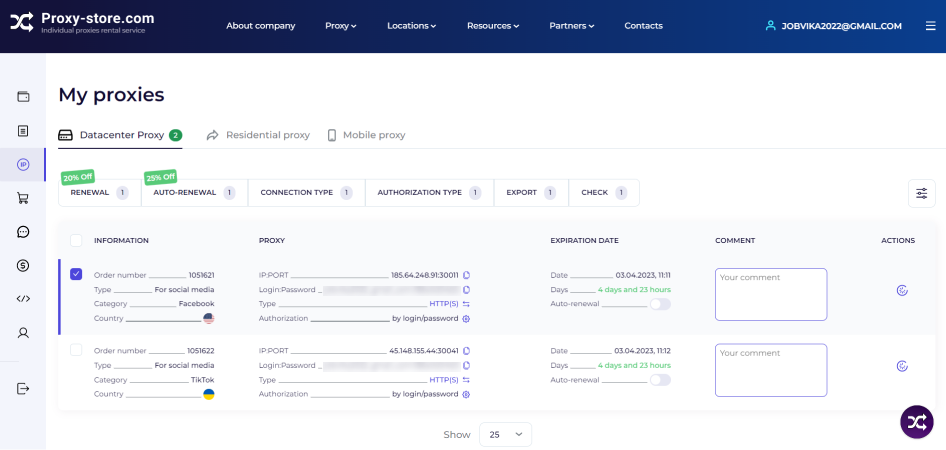
3. Check the proxies you want to renew.
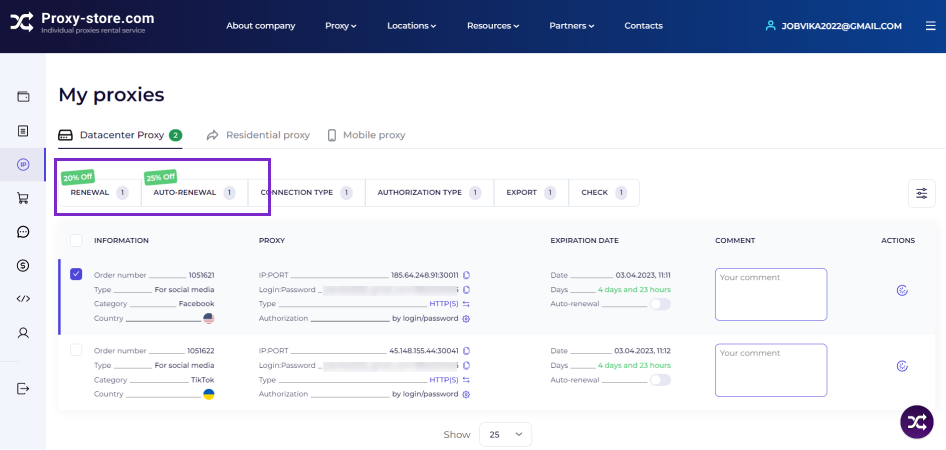
4. There are two renewal options available — manual and automated, with a 20% or 25% discount. You can renew proxies during their validity and within 48 hours after their expiration. If you don’t renew proxies during this time, they will disappear, and you won’t be able to get the same IP addresses.
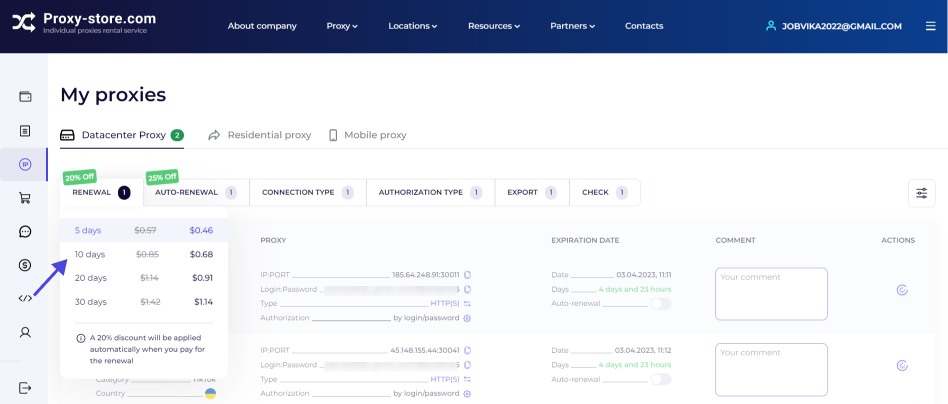
5. For manual renewal — select Renewal and the number of days. Click Continue.
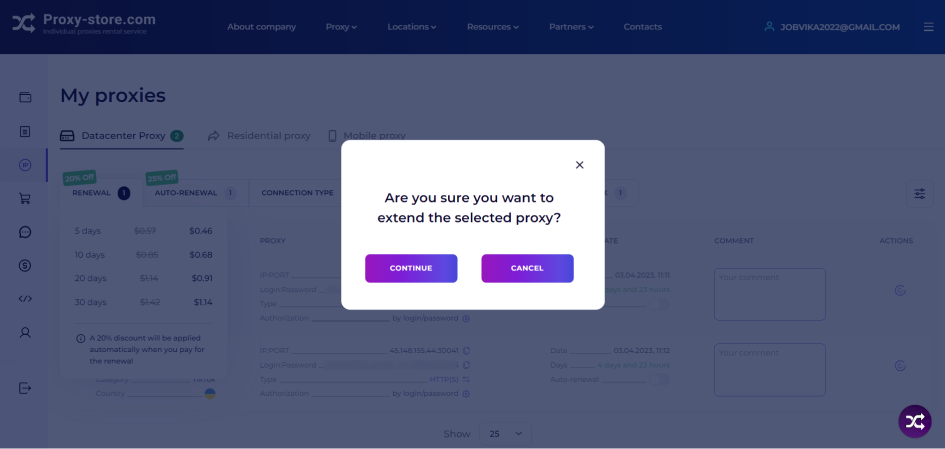
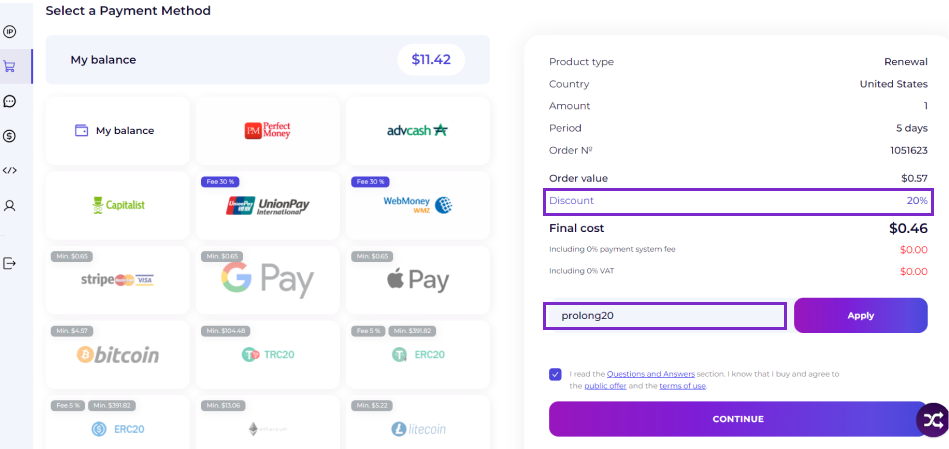
6. Follow up with the payment. A 20% discount applies automatically, you do not have to enter a promo code.
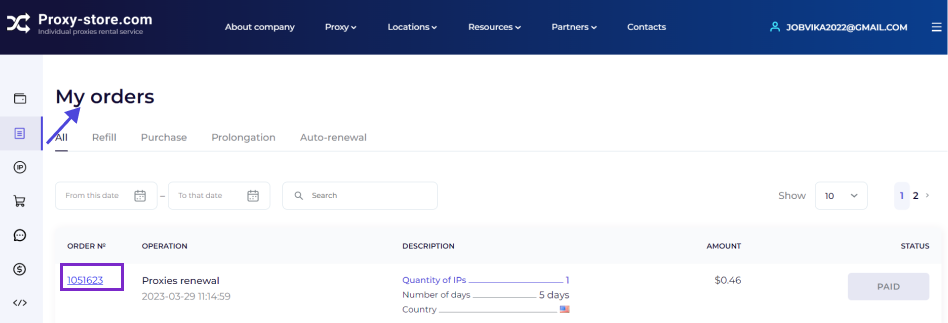
7. After the payment, you get to the My orders section. Here you can find your order number. If you have any issues, send it to the Proxy Store technical support.
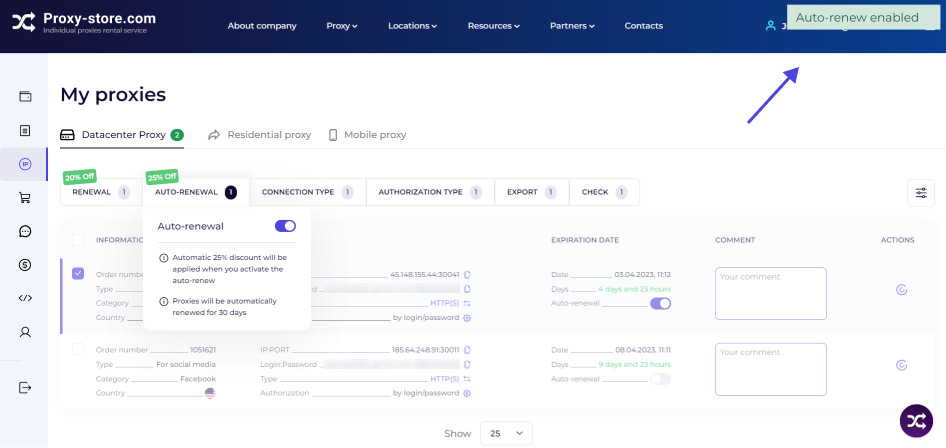
8. For autorenewal — select the appropriate tab on the dashboard and click the slider. Proxies will be renewed automatically every 30 days until the option is disabled (you can do it anytime).
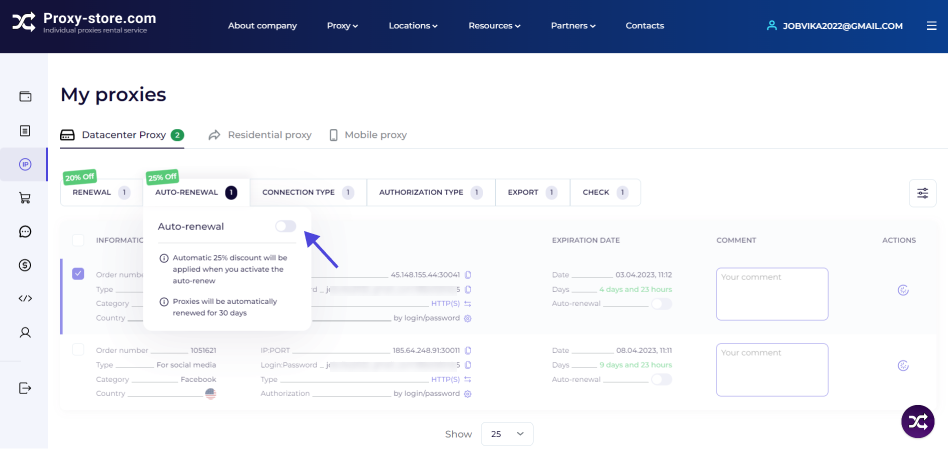
9. Click Enable renewal. A 25% discount applies automatically; you do not have to enter a promo code.
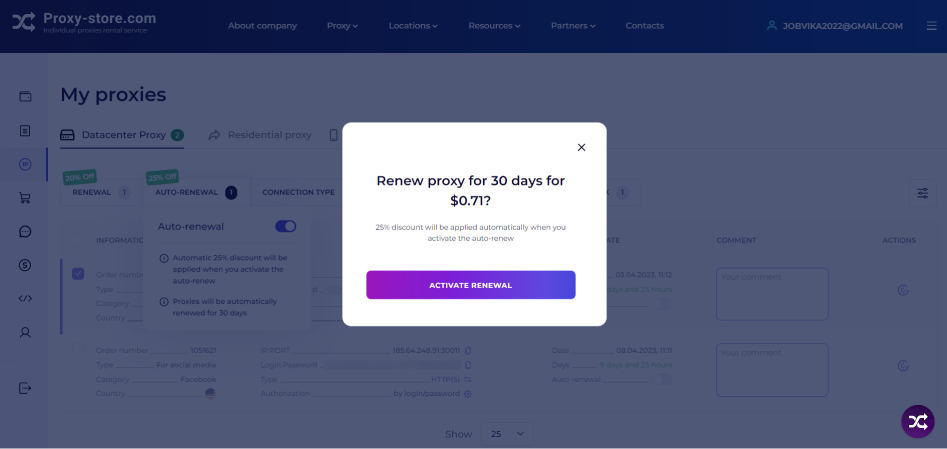
10. You will see a pop-up message about successful autorenewal enabling on the screen. Money is charged one day before the end of the rental period. You have to have enough money on your personal account balance for the charge.
Have any questions? Contact us in the chat on the site (round icon at the bottom of the screen) — this is the fastest way to get help. We have switched to the 24/7 schedule, so we are in touch with you every day at any time.
Thank you for choosing the Proxy-Store!