



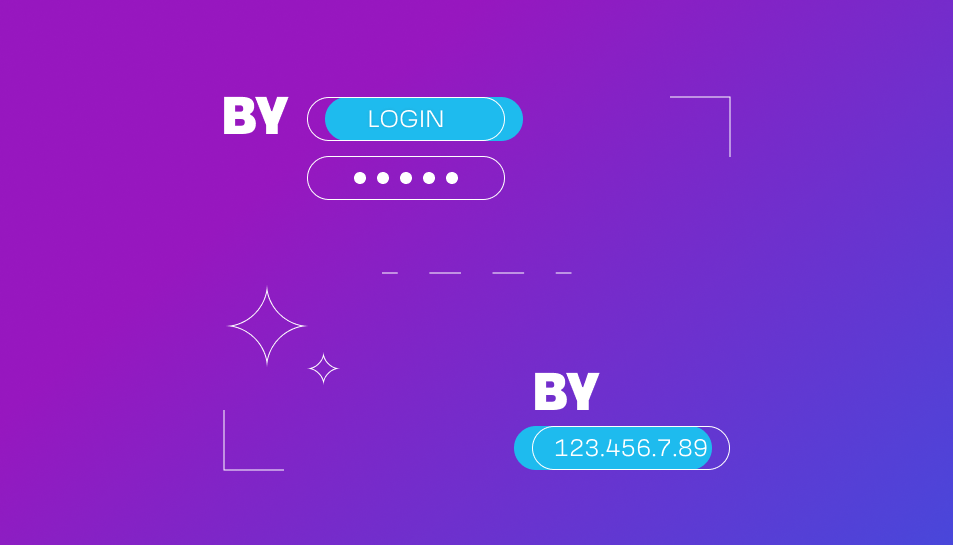
Important Note: This guide is applicable to datacenter proxies. They can be configured using either a login/password combination or an IP address*.
*Please note that IP authorization is exclusive to the categories: "for social media," "for games," "for other purposes," and "for all sites" within the following countries: the USA, Germany, Great Britain, Canada, Russia, the Netherlands, and Ukraine. IP authorization does not apply to the "Shared IP" category and countries not mentioned above.
For residential and mobile proxies, only authorization via login and password is possible. Public proxies, on the other hand, do not require a login and password; entering the IP and port is sufficient for connection.
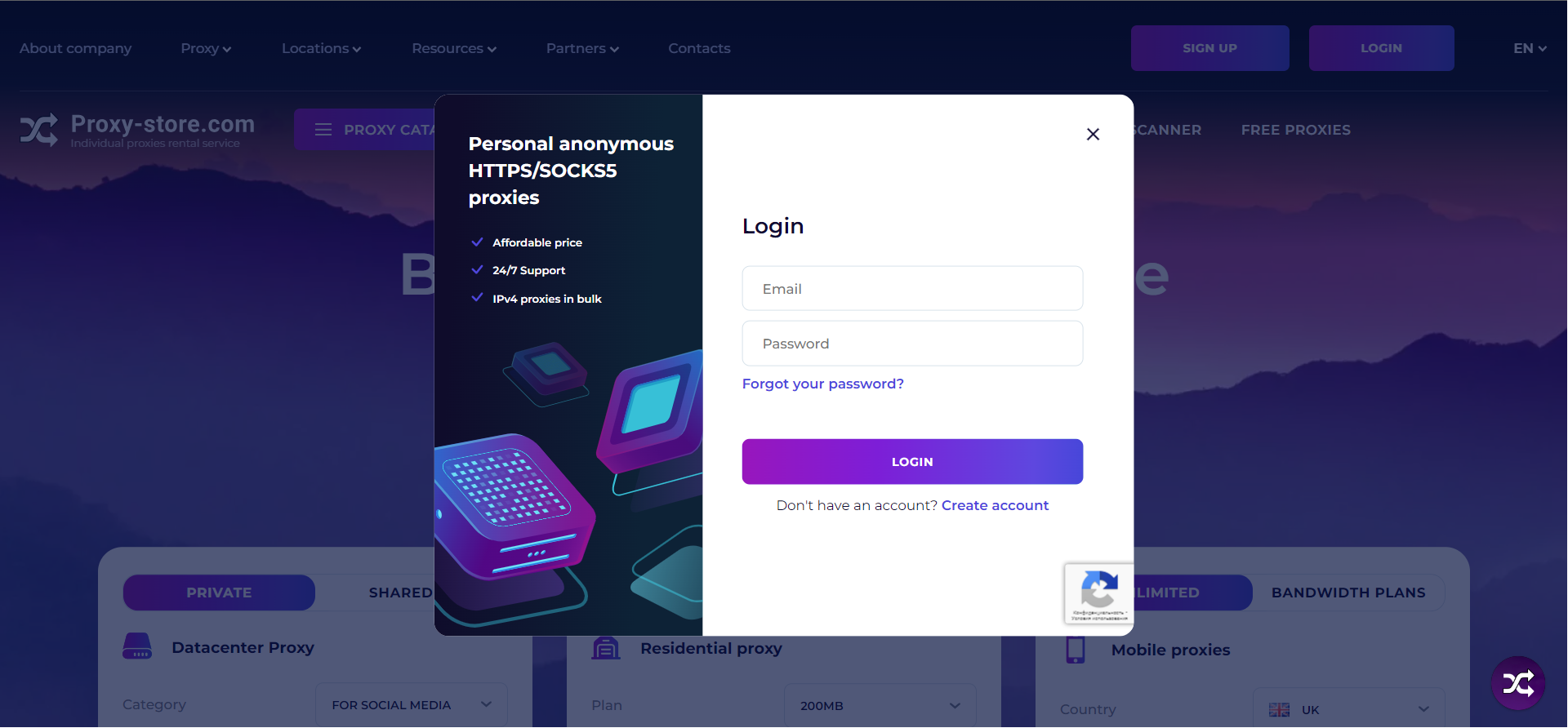
1. Enter your account information and click "Login".
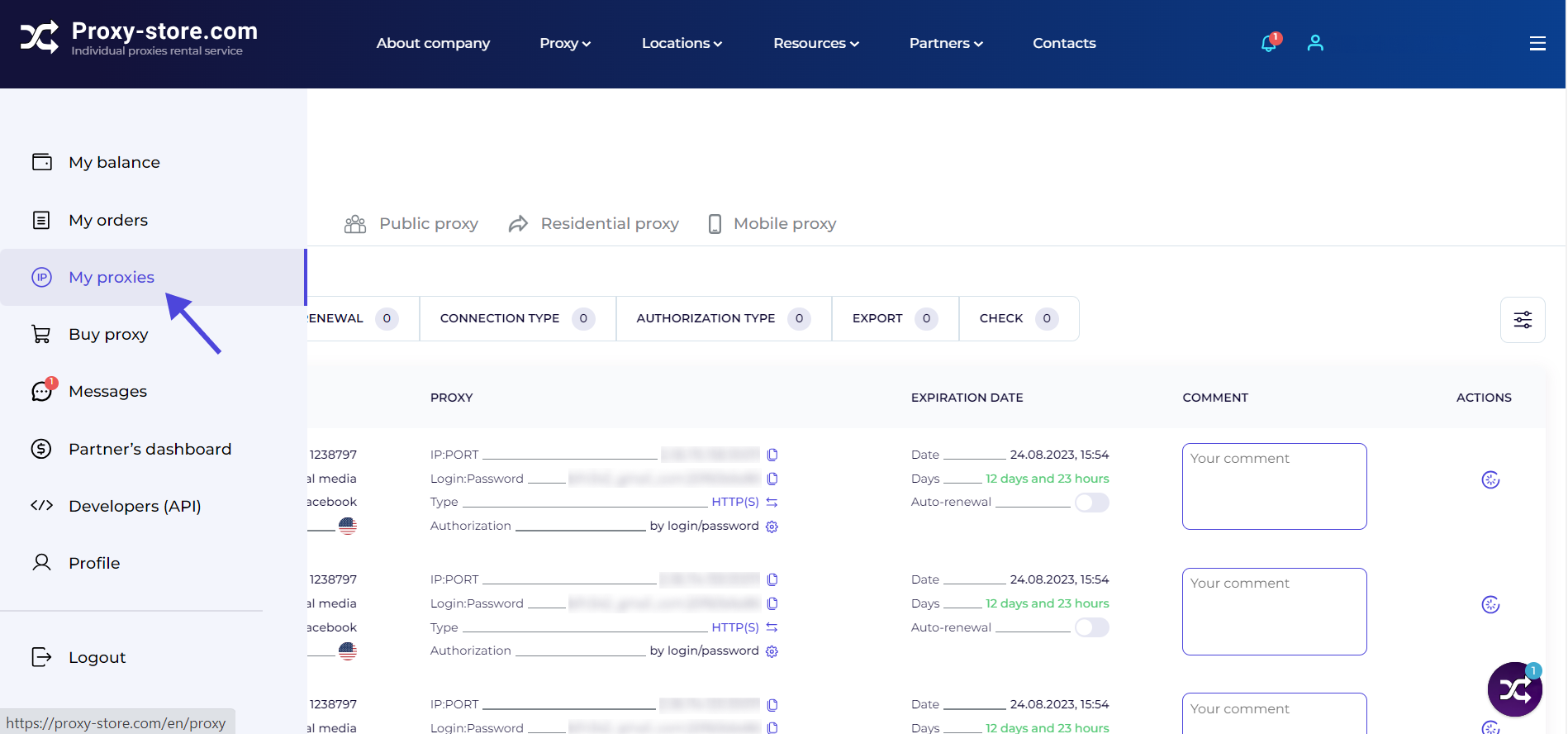
2. Open the "My Proxies" tab.
3. Go to the "Datacenter Proxy" section. Select the "Static IP" option. The login/password is preconfigured in the settings.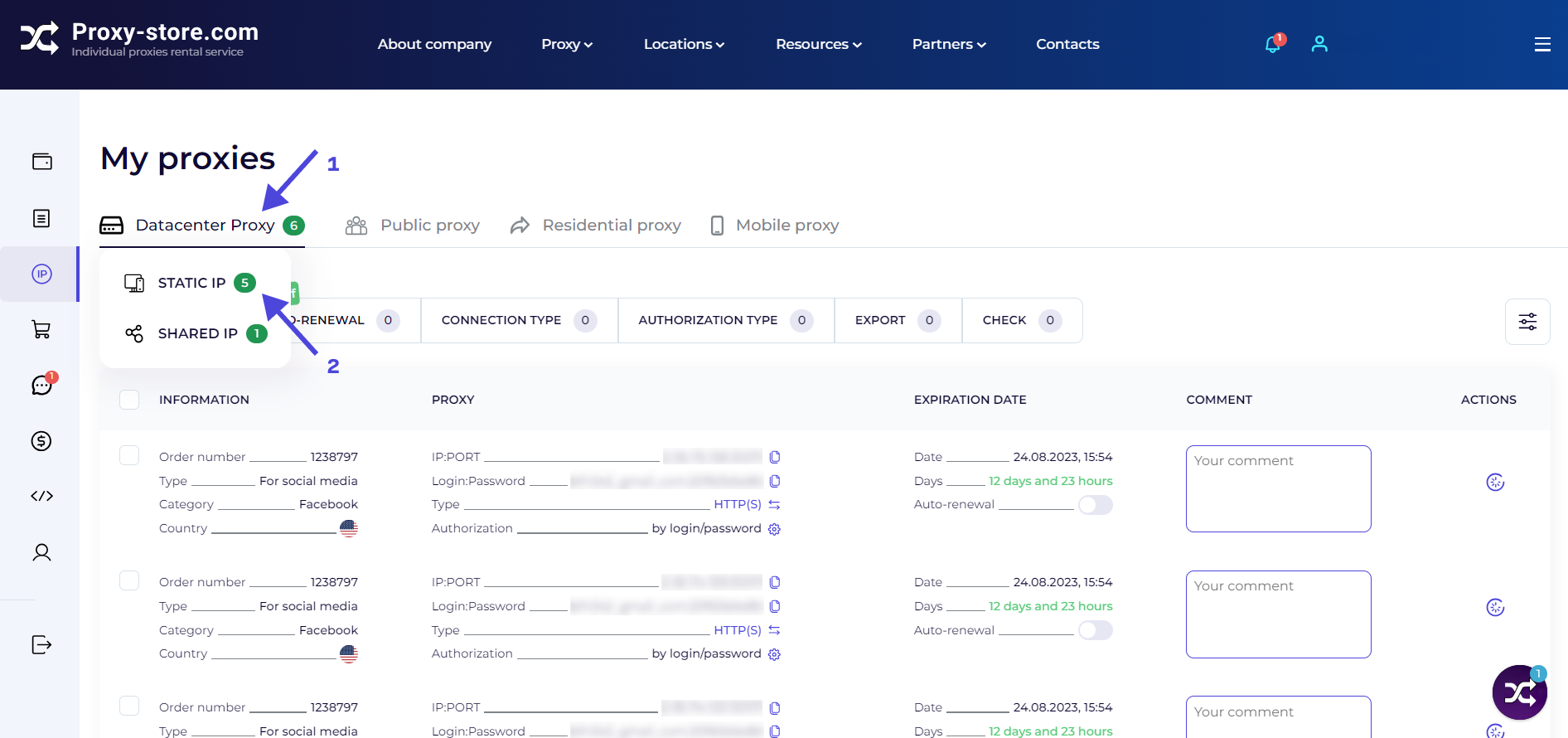
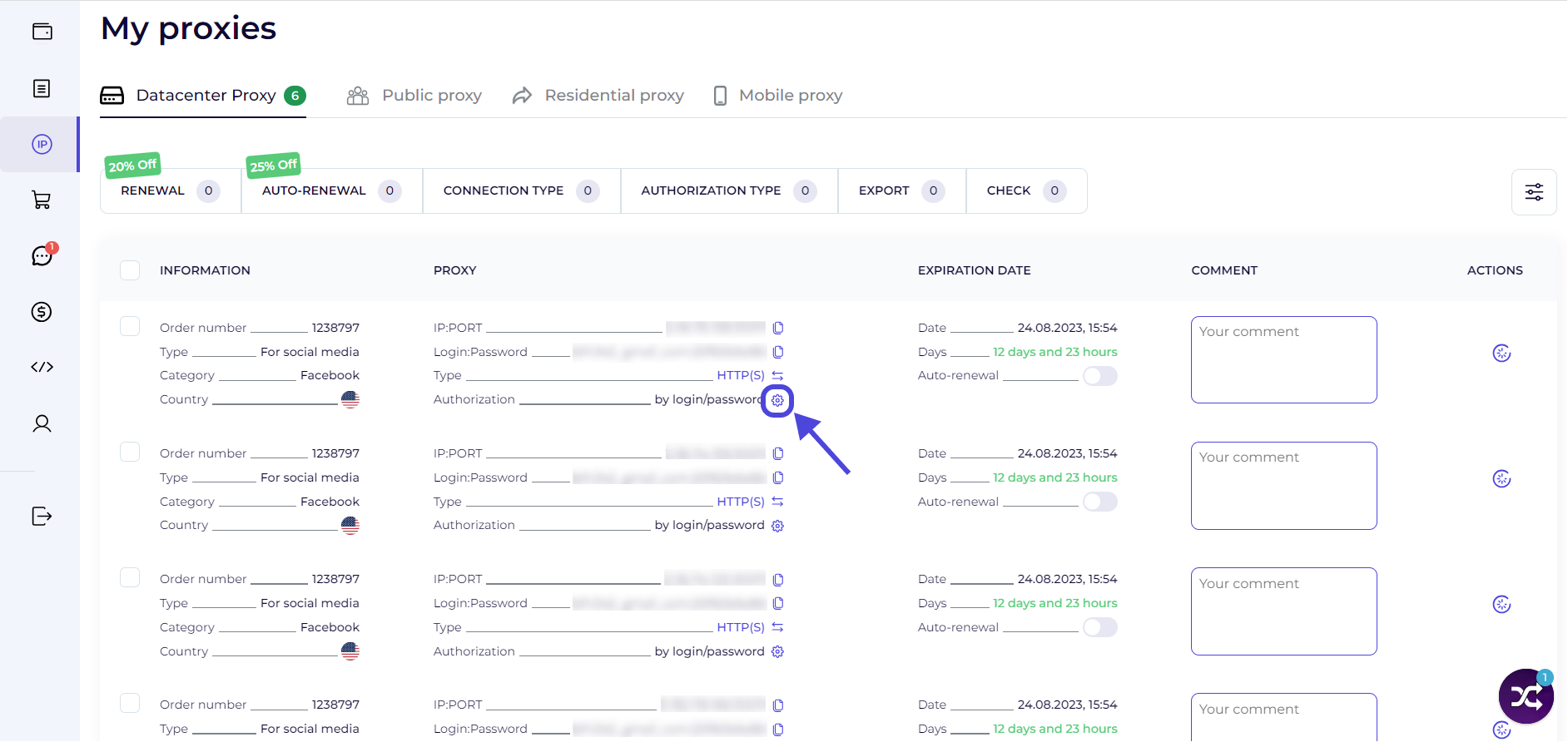
5. Input up to three IPs, each one on a new line. If you want to add your PC's IP, just click it, and it will be automatically included in the list. You can manually enter two more addresses. Then, click "Enable IP Authorization".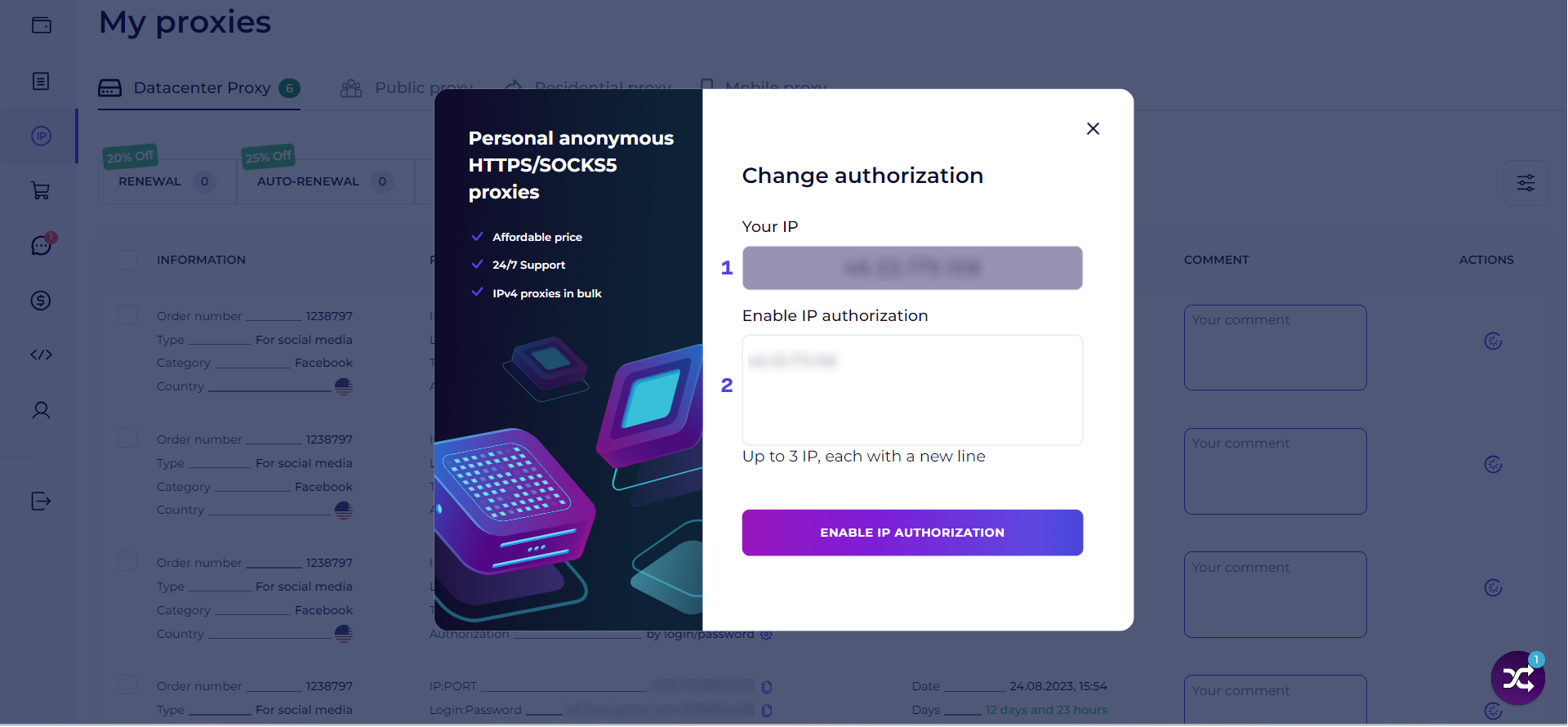
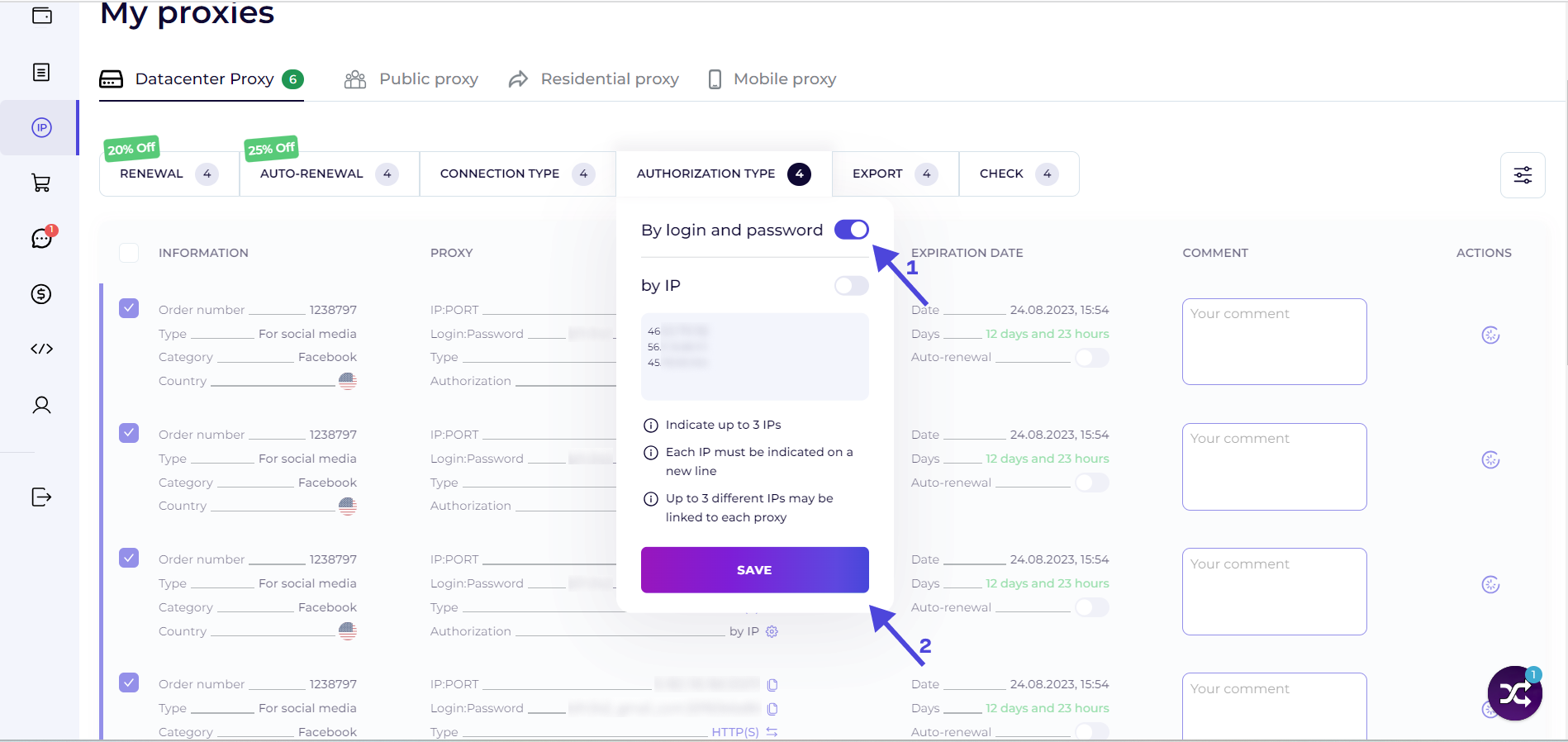
6. If you need to update the authorization type for all proxies, select the "Information" box. This will activate all proxies.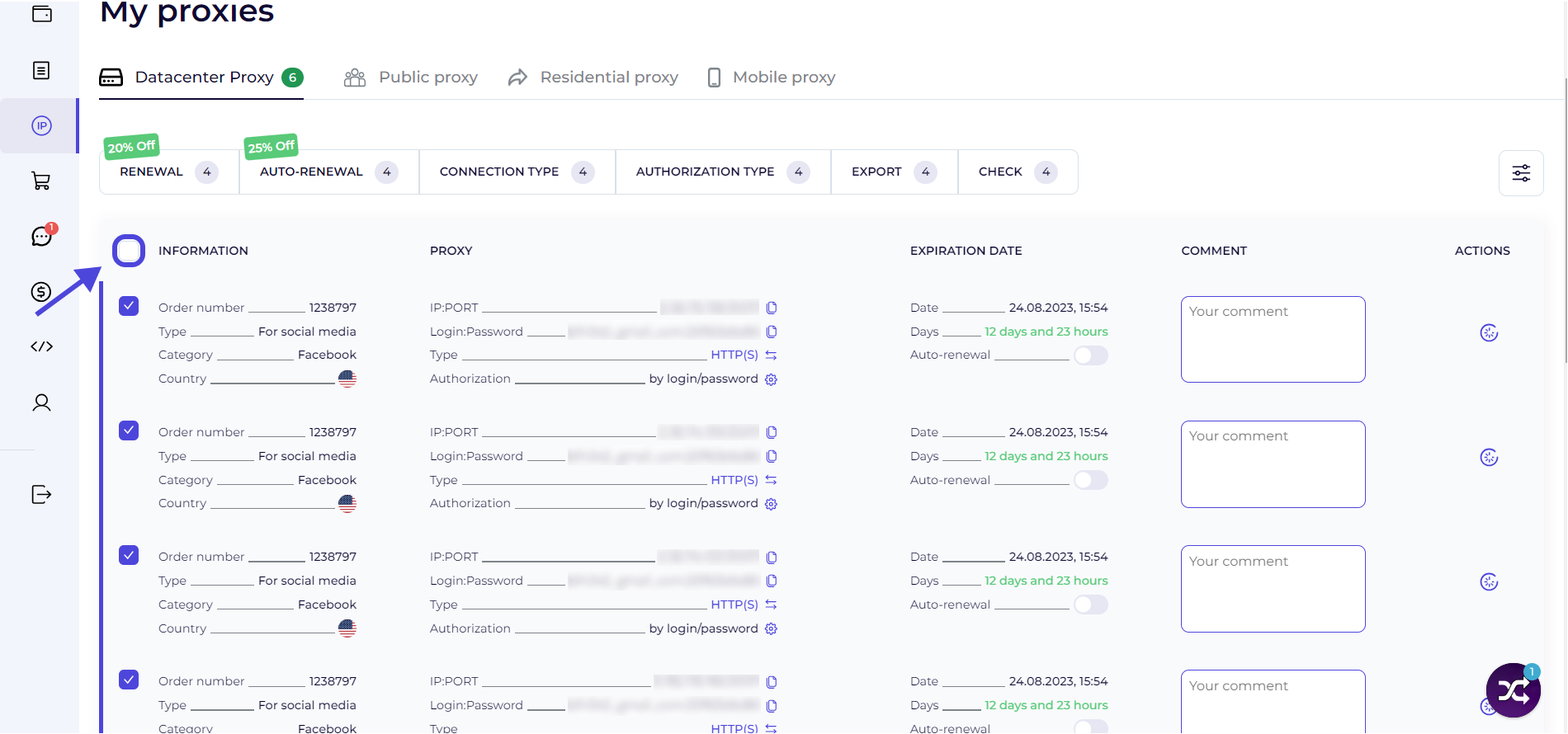
7. Click "Authorization Type" on the dashboard. Toggle the switch next to the "By IP" field. Enter your IP addresses and click "Save".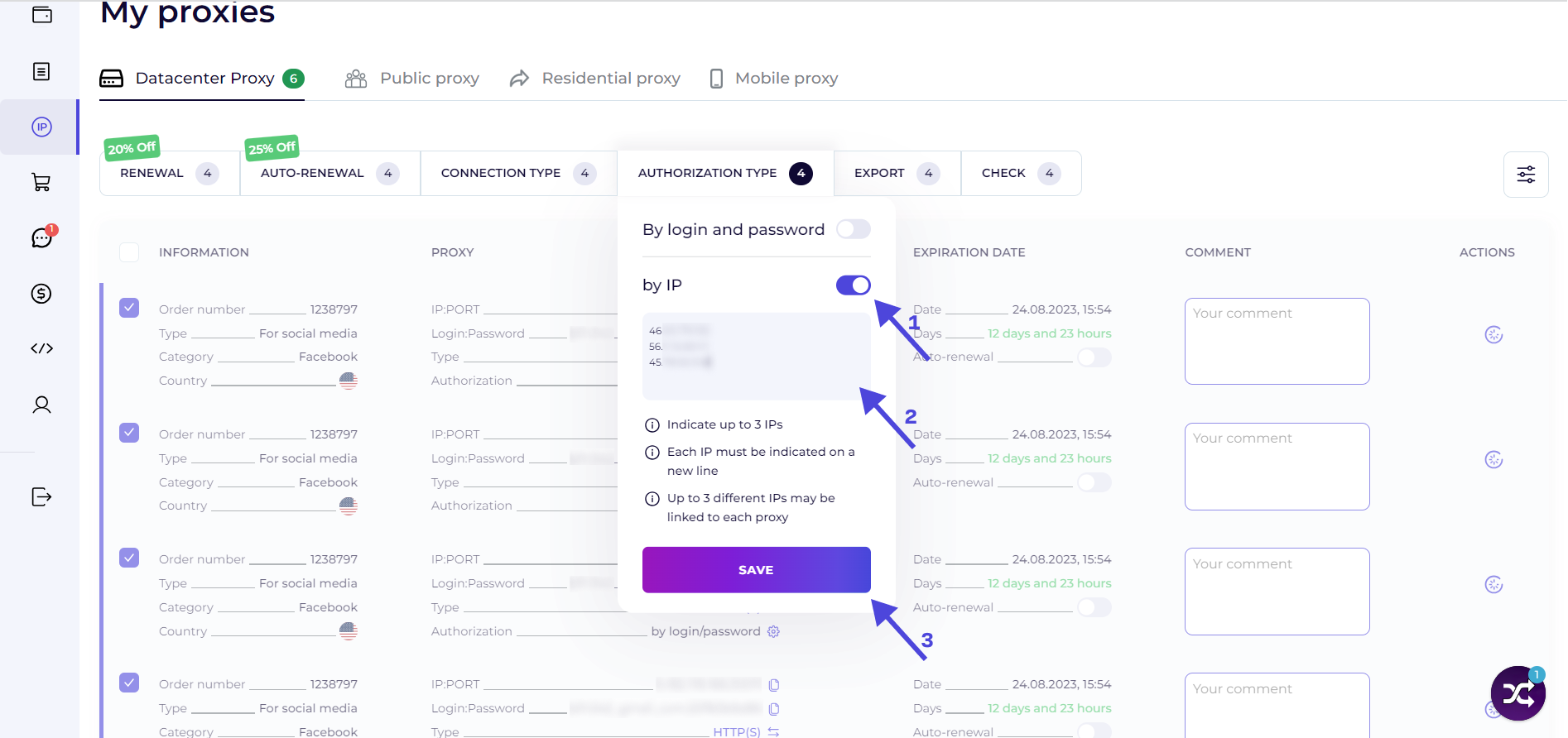
8. Congratulations! The authorization has been changed. From now on, it's sufficient to enter the proxy's IP and port when activating proxies with the specified IPs. No login or password is required.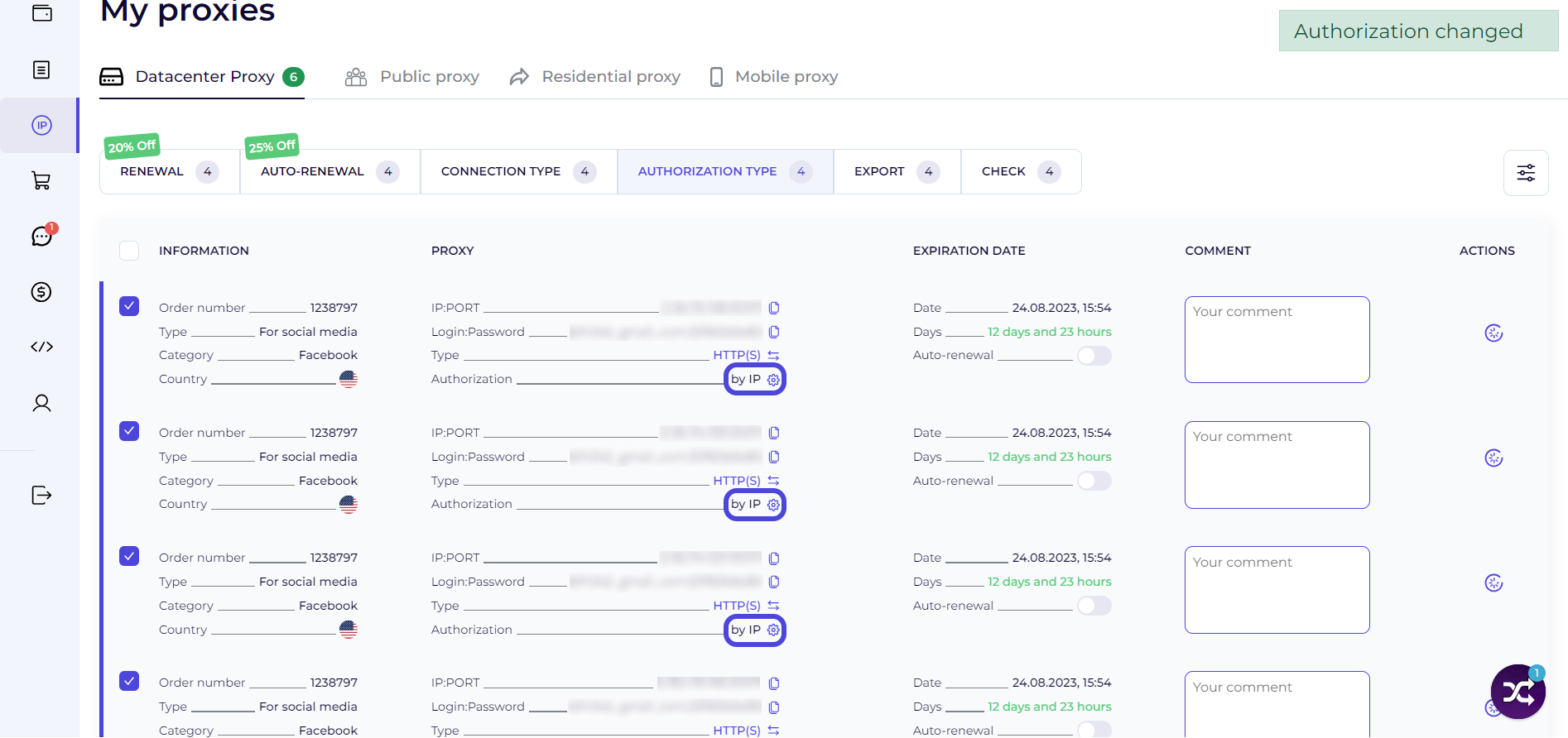
9. To revert to login/password activation, select the proxies, click "Authorization Type," and toggle the corresponding switch. Save the changes.