





We're refreshing the frontend so the interface is just as delightful as our lightning-fast proxies.
Service availability remains stable.
Hurt
6 september 2023

How to change the proxy connection type (from HTTP(S) to SOCKS5 and vice versa)

How to change the proxy connection type (from HTTP(S) to SOCKS5 and vice versa)

Important Note: This guide is applicable to datacenter proxies.

Residential and mobile bandwidth proxies have the HTTP connection type by default while also supporting SOCKS5. Select the required protocol in the software settings, and proxies will work.

Mobile unlimited proxies only support HTTP protocol at the moment.

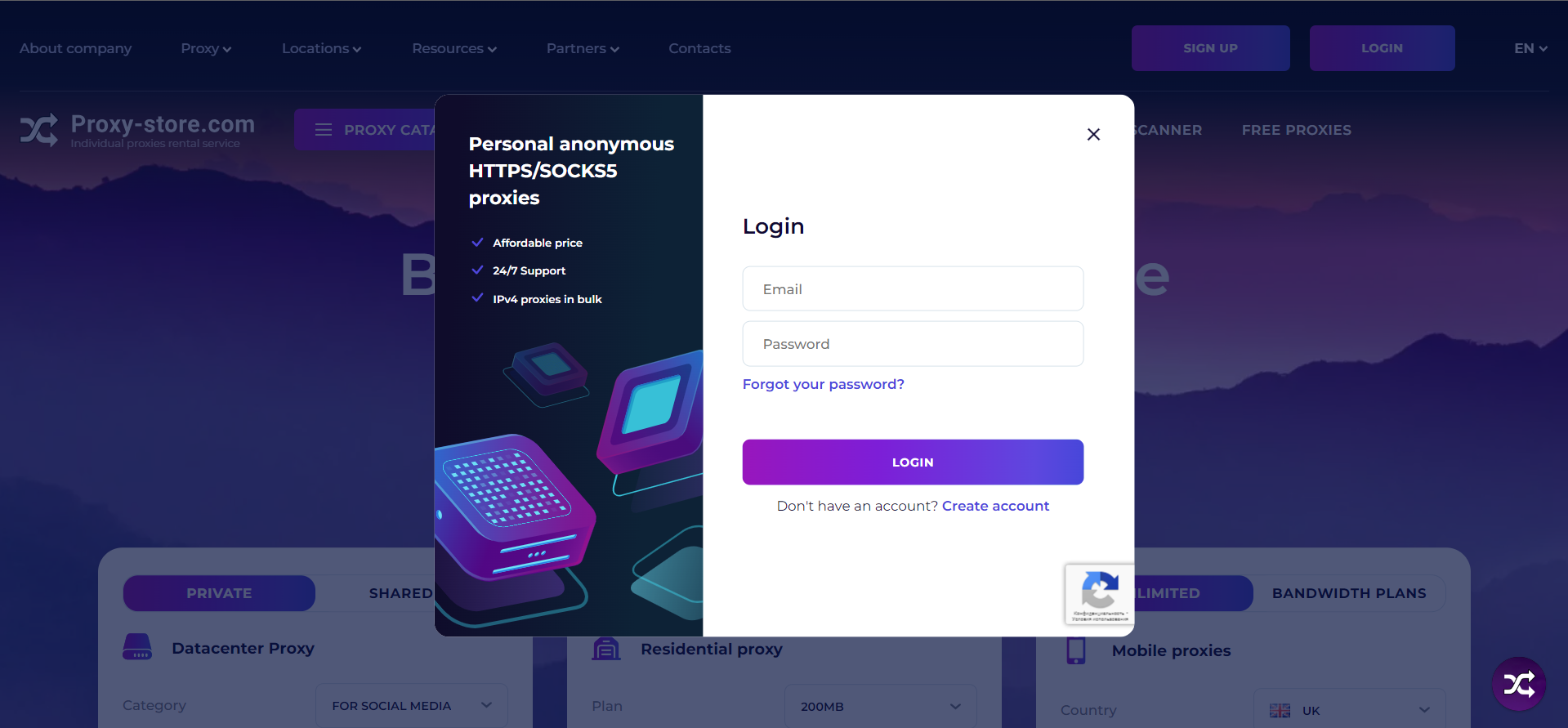
1. Enter your account information and click "Login.


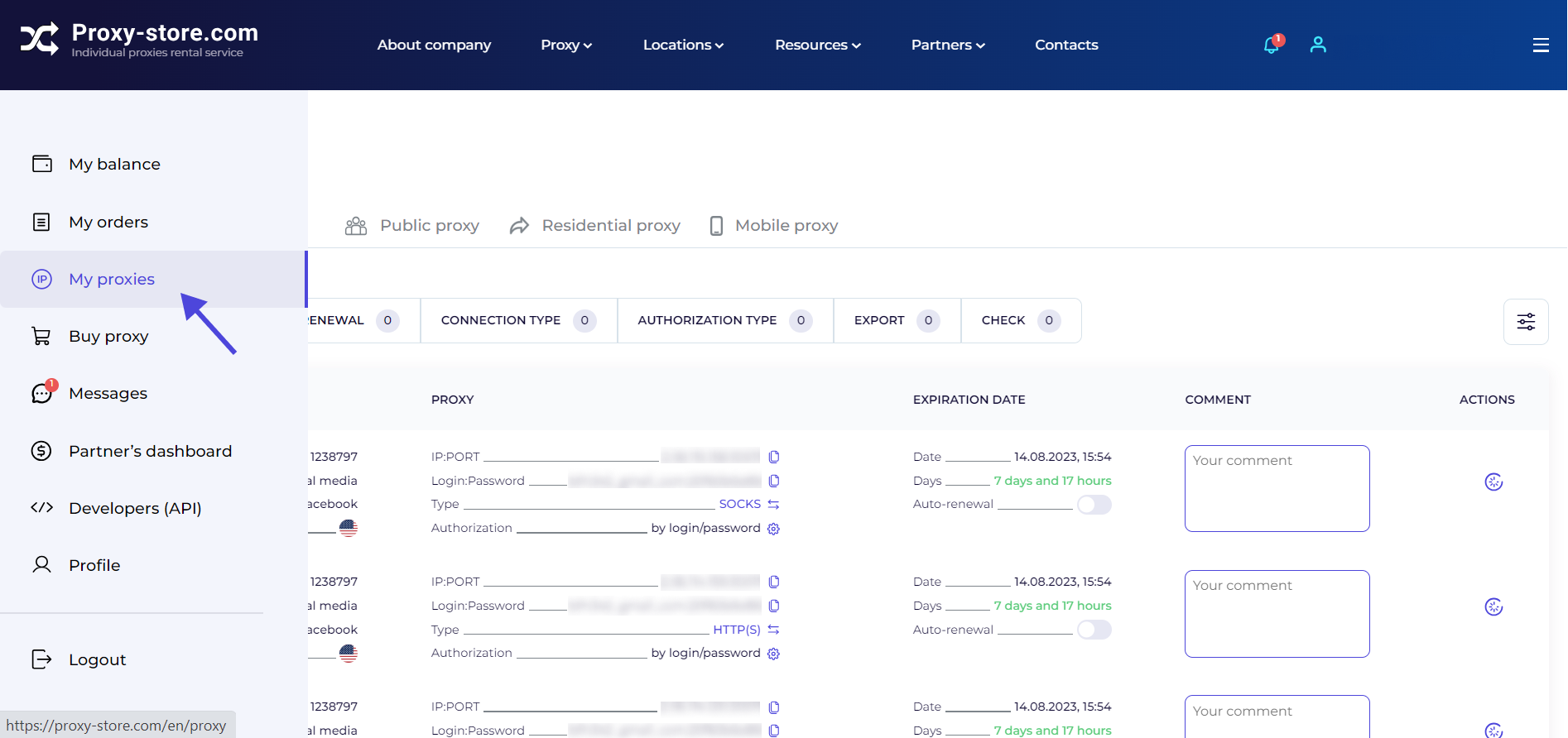
2. Open the “My proxies” tab.


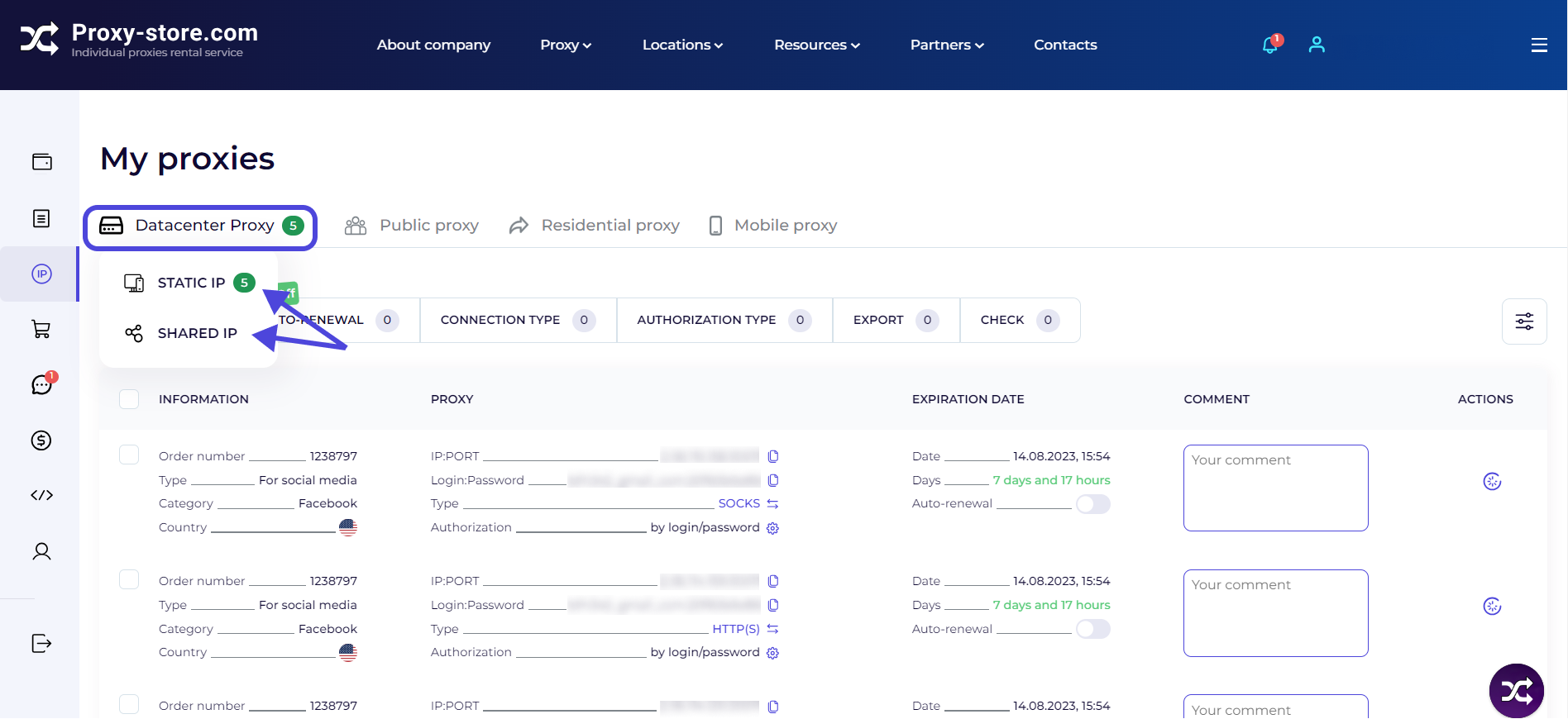
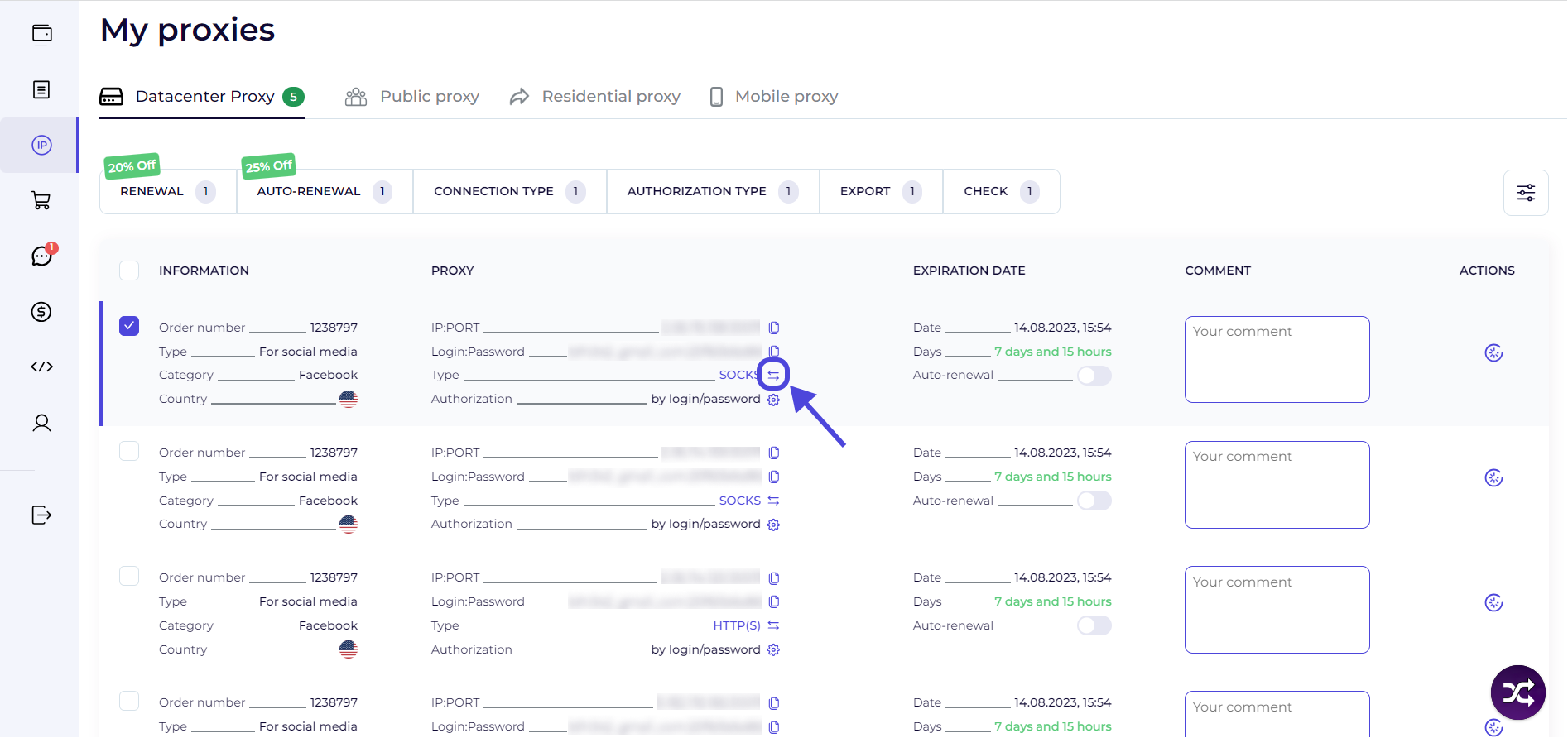
3. Go to the “Datacenter Proxy” section. Select the required category — “Static IP” (private) or “Shared IP”.


4. Check proxies for which you want to change the connection type. It is sufficient to check the box next to the required proxies .
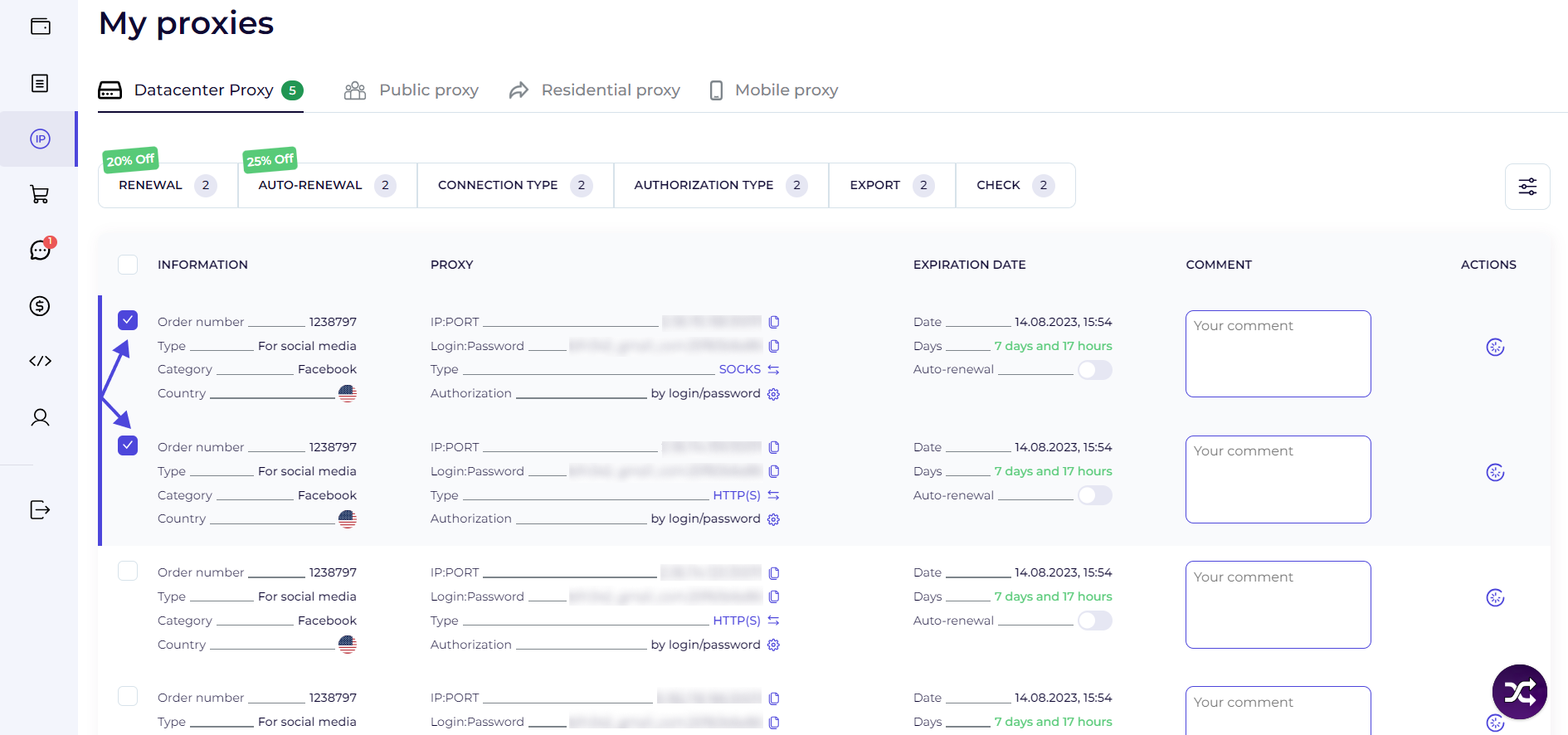


5. If you want to check all the proxies at once, check the “Information” box.
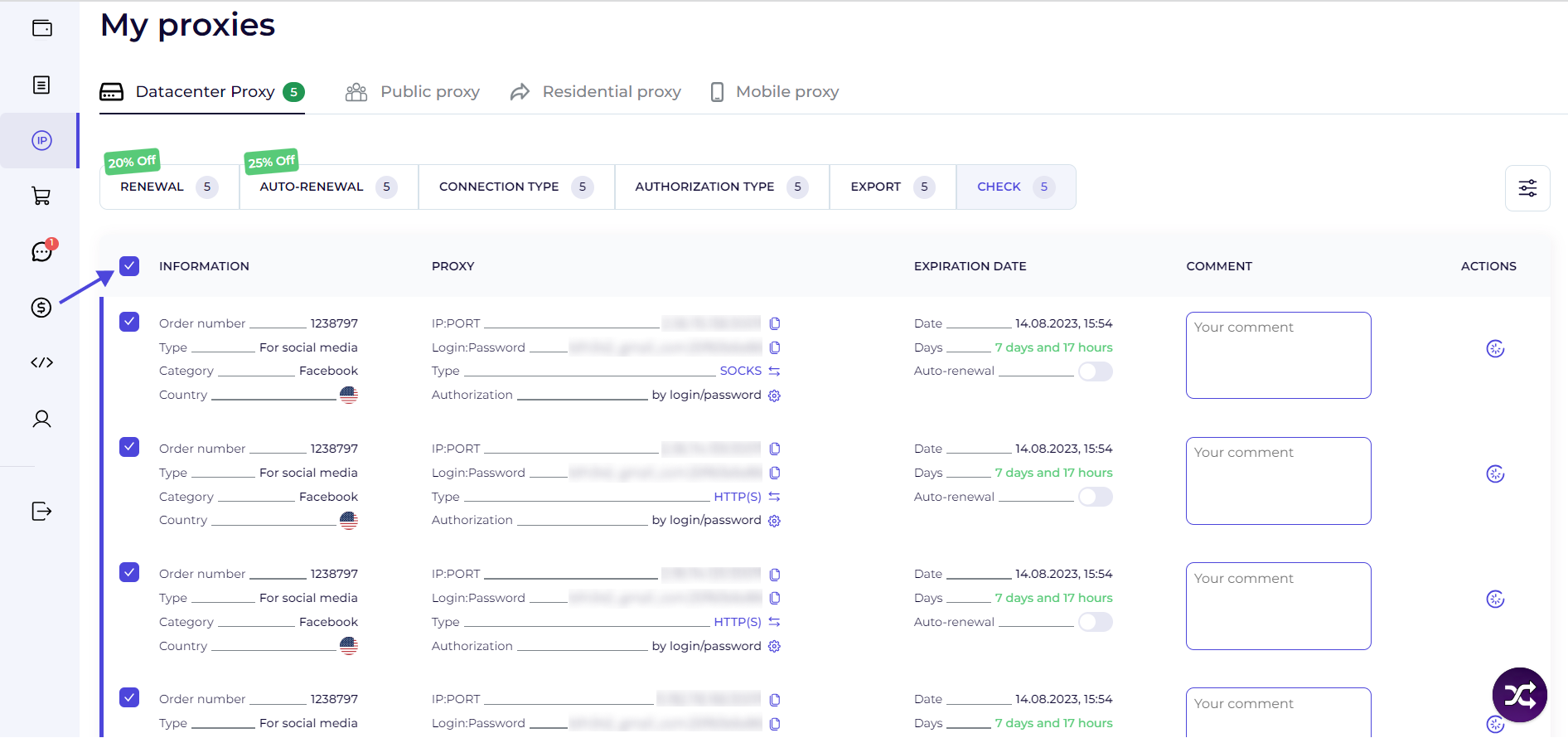


6. Click “Connection type” on the dashboard. Toggle one of the switches.
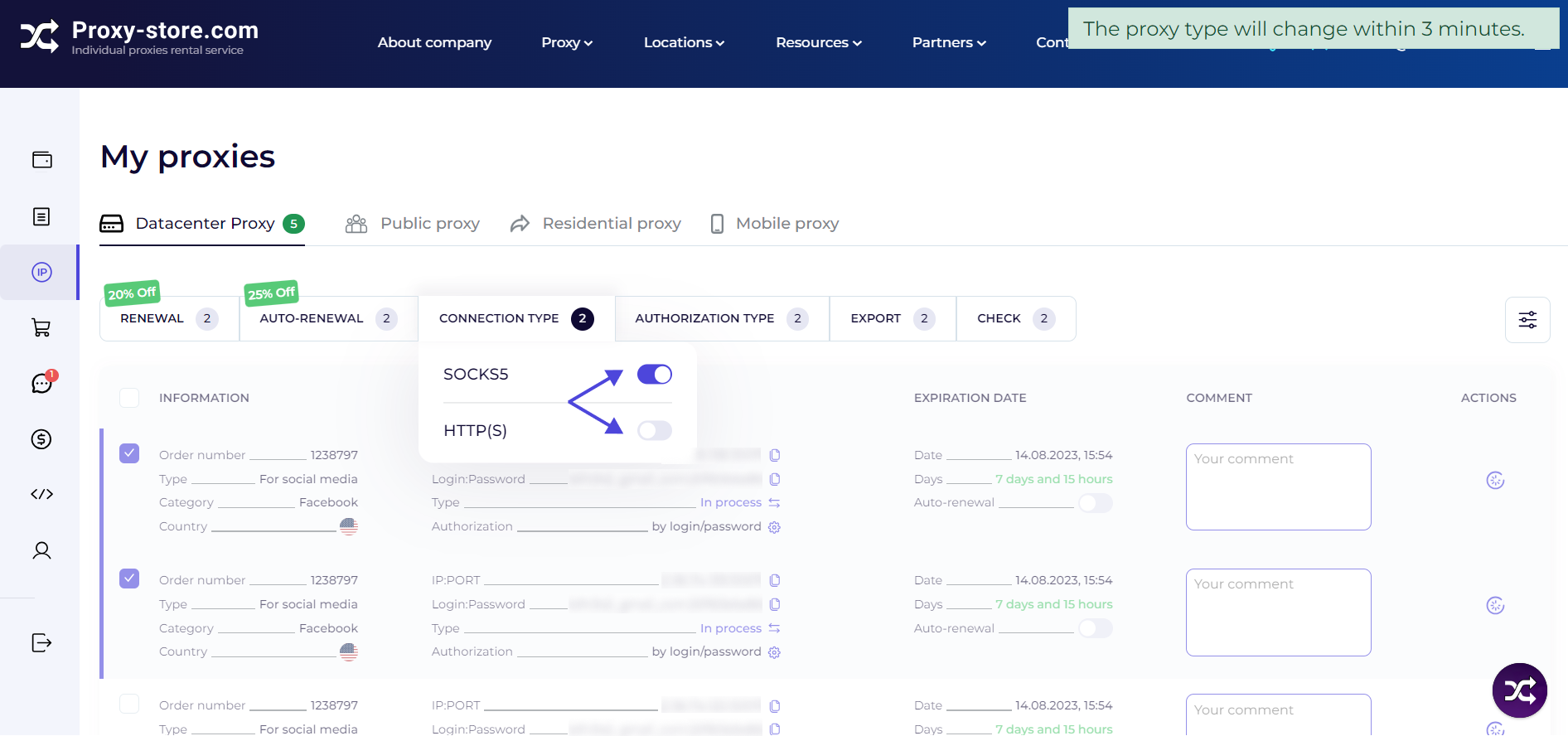


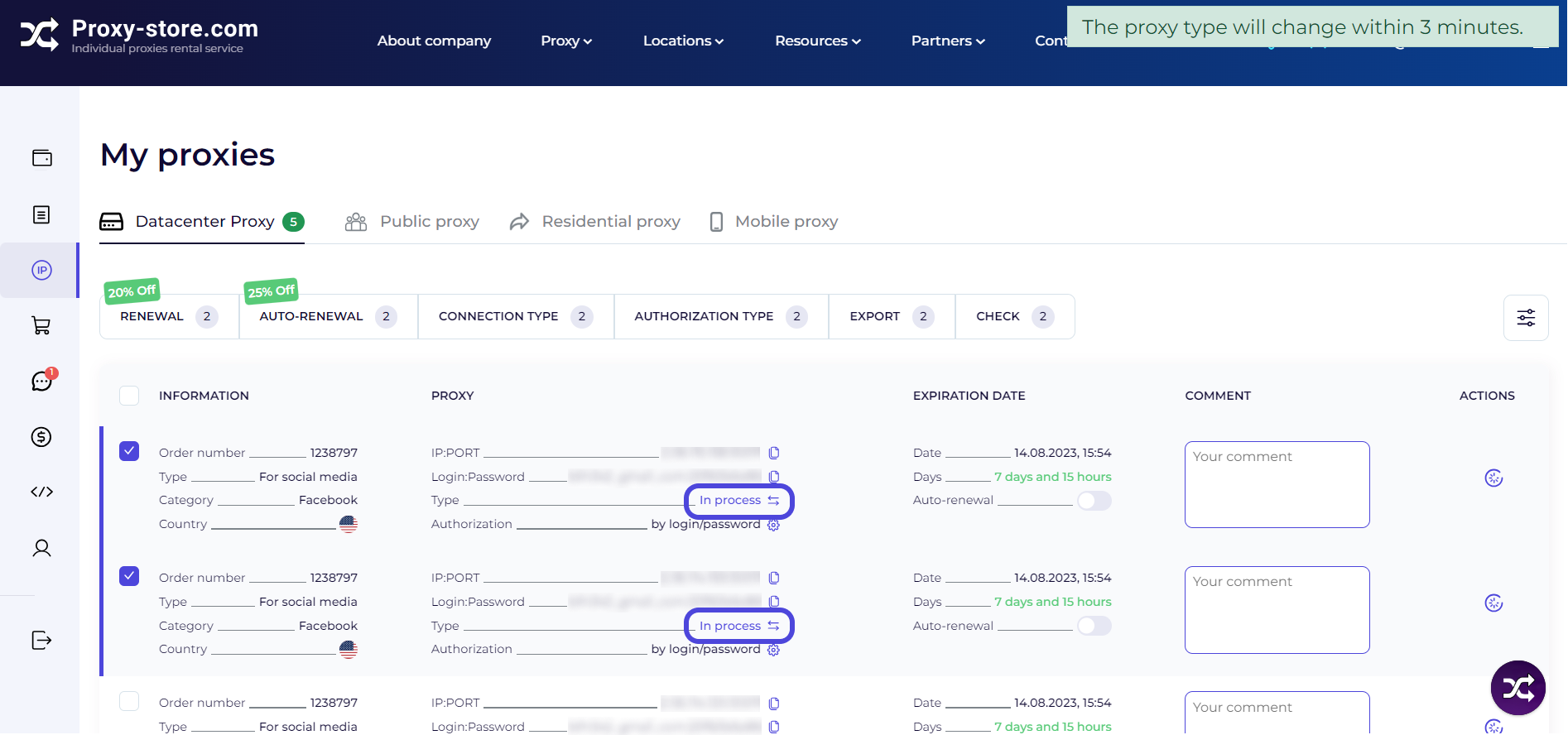
7. Proxy type changes within 3 minutes.


8. All done!
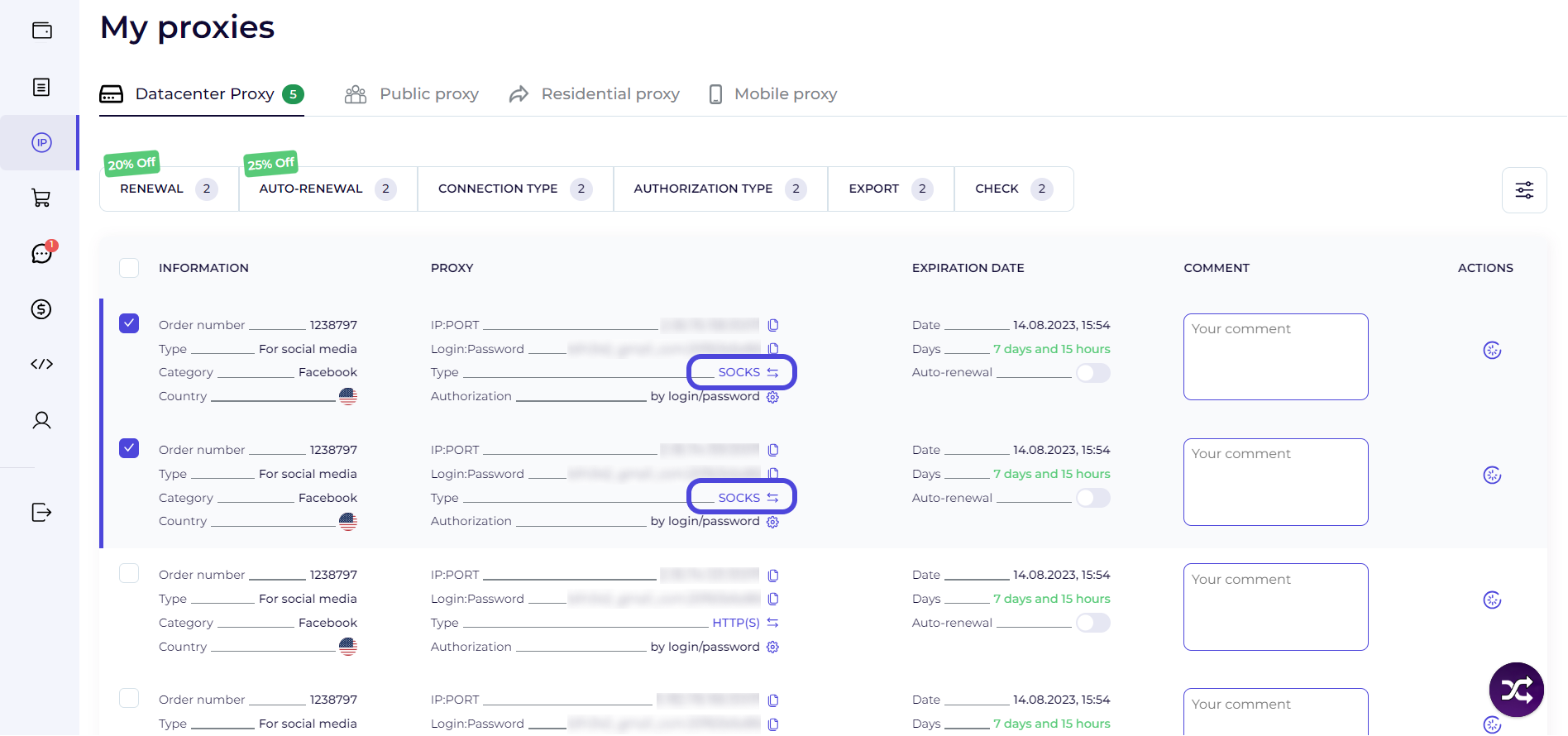


9. To change the connection type only for one proxy: click the specified button and wait for the change.
Udostępnij:

Rozwiązania dla Twoich zadań

Niezawodna infrastruktura zarówno do użytku osobistego, jak i skalowania biznesu.

cookie
Ta strona wykorzystuje pliki cookie w celu zwiększenia wygody korzystania z witryny. Kliknięcie łącza do naszej witryny lub praca na witrynie oznacza zgodę na gromadzenie danych za pomocą plików cookie.
Akceptuj

Login

Google przez Google
lub przez e-mail

Kod uwierzytelniania dwuskładnikowego

Wprowadź kod potwierdzający

Rejestracja

Utwórz konto, aby uzyskać dostęp do serwisu

Google przez Google
lub przez e-mail

Odzyskiwanie hasła

Wyślemy Ci na adres e-mail link
dzięki któremu odzyskasz swoje hasło